Best Website Hosting for Small Business: What Matters First
-
 OppMint Team
 - 06 Jun, 2026

The best website hosting for small business is hosting that keeps the site available, secure, easy to update, and simple enough for the business to maintain.
A small business website is not just a technical asset. It can support leads, bookings, calls, local trust, service explanations, and customer questions. Hosting should protect that path.
What small business hosting needs to do
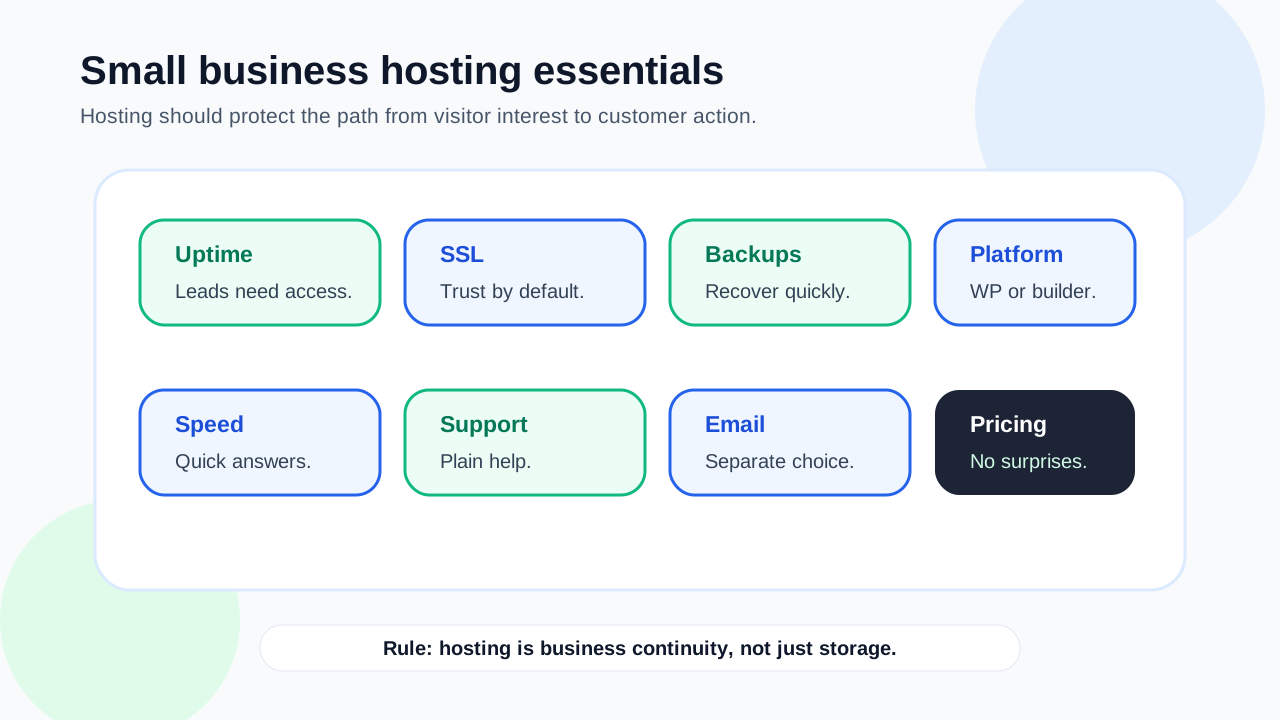
Small business hosting should support:
- a custom domain;
- SSL and HTTPS;
- reliable uptime;
- fast enough loading;
- backups;
- contact forms;
- WordPress or your chosen platform;
- support;
- email or email integration;
- room to grow.
The goal is not to buy the most powerful server. The goal is to keep the business website working when customers need it. For the broader hosting decision path, use Domains & Hosting before narrowing the choice to a business plan.
Match hosting to the business site
Different small businesses have different hosting needs.
| Business site type | Hosting priority |
|---|---|
| Local service site | Reliability, contact forms, support |
| Restaurant or venue | Hours, location, mobile speed, uptime |
| Consultant site | Professional pages, booking path, SSL |
| Small ecommerce site | Security, performance, backups, checkout support |
| Content marketing site | WordPress support, SEO structure, publishing workflow |
| Multi-location business | Scalability, page structure, support |
A one-page local site does not need the same setup as a content-heavy service business or online store.
Reliability matters because leads are time-sensitive
If a customer searches for a service and the site is down, they may contact a competitor.
Hosting should provide:
- stable uptime;
- clear status information;
- support when problems happen;
- enough resources for normal traffic;
- a way to recover after errors.
No host can promise perfect availability, but small business hosting should not make outages frequent or confusing.
SSL is required for trust
Modern business websites should use HTTPS. Visitors expect secure connections, and browsers may warn users when a site is not secure.
Before buying hosting, check:
- whether SSL is included;
- whether setup is automatic;
- whether renewal is automatic;
- whether redirects from HTTP to HTTPS are handled;
- whether support can help if SSL breaks.
A small business website should not lose trust because of a preventable security warning.
Backups protect the business
A small business site can break because of plugin updates, human mistakes, malware, hosting problems, or failed edits.
Ask:
- Are backups included?
- How often are they created?
- How long are they retained?
- Can you restore easily?
- Is restore support included?
- Are backups included in the plan price?
Backups are not optional if the website supports leads or revenue.
WordPress hosting may be useful
Many small business websites use WordPress because it supports service pages, blog content, SEO plugins, forms, and long-term flexibility.
If using WordPress, confirm the host supports:
- current WordPress requirements;
- PHP and database needs;
- WordPress installation;
- theme and plugin use;
- updates;
- caching;
- backups;
- support for common WordPress issues.
WordPress can be powerful for small business SEO, but it needs a hosting environment that can run it reliably.
Website builders include hosting differently
If you use a hosted website builder, hosting is usually included. That can reduce setup work.
This may be enough if:
- the site is simple;
- you need a quick launch;
- you do not need advanced WordPress control;
- you prefer bundled support;
- you want fewer technical decisions.
The tradeoff is that you may have less control over portability, plugins, custom SEO structure, or future migration.
Speed affects user experience
Small business visitors are often looking for quick answers:
- what you do;
- where you serve;
- how to contact you;
- whether you are trustworthy;
- what happens next.
Hosting can affect speed, but so can images, themes, plugins, scripts, and page builders. A fast host cannot fully fix an overloaded site.
Support should fit nontechnical owners
Small business owners often need practical help, not server jargon.
Useful support can help with:
- domain connection;
- SSL setup;
- WordPress install;
- backup restore;
- email configuration guidance;
- migration questions;
- basic performance issues;
- billing and plan questions.
Support quality can matter more than a small price difference. If you need help turning the hosting choice into a practical site setup, review the OppMint Services options before buying a plan.
Email is a separate decision
Some hosting plans include email. Others charge extra or expect you to use a separate email provider.
Check:
- whether email accounts are included;
- domain email cost;
- mailbox limits;
- deliverability expectations;
- whether business email is managed separately;
- whether contact forms can send reliably.
Do not assume hosting automatically includes good business email.
Pricing should be clear
Small business hosting costs can include more than the plan price.
Review:
- first-year price;
- renewal price;
- domain renewal;
- SSL cost if not included;
- backup cost;
- email cost;
- migration fees;
- ecommerce fees;
- support tiers.
A cheap plan can be fine, but unclear recurring costs can create frustration later.
When to upgrade hosting
A small business may need better hosting when:
- traffic grows;
- pages become slow;
- downtime affects leads;
- support is poor;
- backups are unreliable;
- ecommerce is added;
- the site needs staging;
- multiple sites are managed;
- WordPress plugins become heavier.
Upgrade because the business need is real, not because a provider says every business needs a premium plan.
Small business hosting checklist
Before choosing, confirm:
| Area | Check |
|---|---|
| Domain | Can you connect and manage the business domain? |
| SSL | Is HTTPS included and maintained? |
| Backups | Can you restore after mistakes? |
| Support | Can nontechnical owners get help? |
| Platform | Does it support WordPress or your chosen builder? |
| Speed | Is performance reasonable for your site type? |
| Is business email included or separate? | |
| Pricing | Are renewals and add-ons clear? |
| Growth | Can you upgrade without rebuilding? |
This gives you a safer decision than comparing hosts by headline price.
Common mistakes
Avoid these small business hosting mistakes:
- choosing only by discount price;
- ignoring backups;
- assuming email is included;
- ignoring SSL setup;
- buying VPS hosting without technical help;
- using heavy themes on weak hosting;
- hiding contact paths behind slow pages;
- ignoring renewal costs;
- choosing hosting before defining the website goal.
Hosting should support the business, not become another operational burden.
Final recommendation
The best website hosting for small business depends on the site type. For a simple site, bundled hosting from a website builder may be enough. For content growth and flexibility, WordPress hosting may be better. For ecommerce or high-traffic businesses, stronger managed hosting may be worth the cost.
Start with reliability, SSL, backups, support, clear pricing, and a setup your business can maintain.
If you are still building the site, read How to Build a Website for Small Business. If you want a broader beginner hosting guide, read Best Web Hosting for Beginners.
FAQ
What is the best website hosting for small business?
The best choice depends on the site type, but small businesses should prioritize reliability, SSL, backups, support, clear pricing, and platform fit.
Do small businesses need WordPress hosting?
Not always. WordPress hosting is useful for content, SEO, and flexibility. A hosted website builder can be enough for simpler sites.
Is cheap hosting okay for a small business?
It can be okay for a simple early site, but check backups, SSL, support, renewal pricing, performance limits, and whether the host can grow with the business.
Does hosting include business email?
Sometimes. Some hosts include email, some charge extra, and some expect you to use a separate business email provider. Check before buying.
When should a small business upgrade hosting?
Upgrade when traffic grows, downtime affects leads, pages are slow, backups are unreliable, ecommerce is added, or the site needs stronger support and staging.