
Author profile
OppMint Team
Articles
67
The OppMint Team creates practical, beginner-friendly resources for people who want to build useful websites, grow search traffic, and turn content into sustainable online income.
Our guides focus on website planning, affiliate marketing, SEO fundamentals, content strategy, internal linking, hosting decisions, and monetization workflows for small site operators. We write for readers who want clear next steps instead of vague online-business advice.
Each article is designed to connect strategy with execution: choosing a site idea, building the first useful pages, organizing content clusters, improving search visibility, and understanding realistic ways a website can earn revenue over time.
Articles by OppMint Team
- OppMint Team
- 06 Jun, 2026
Beginner's Guide: Real People Who Make Money Online (And How They Did It)
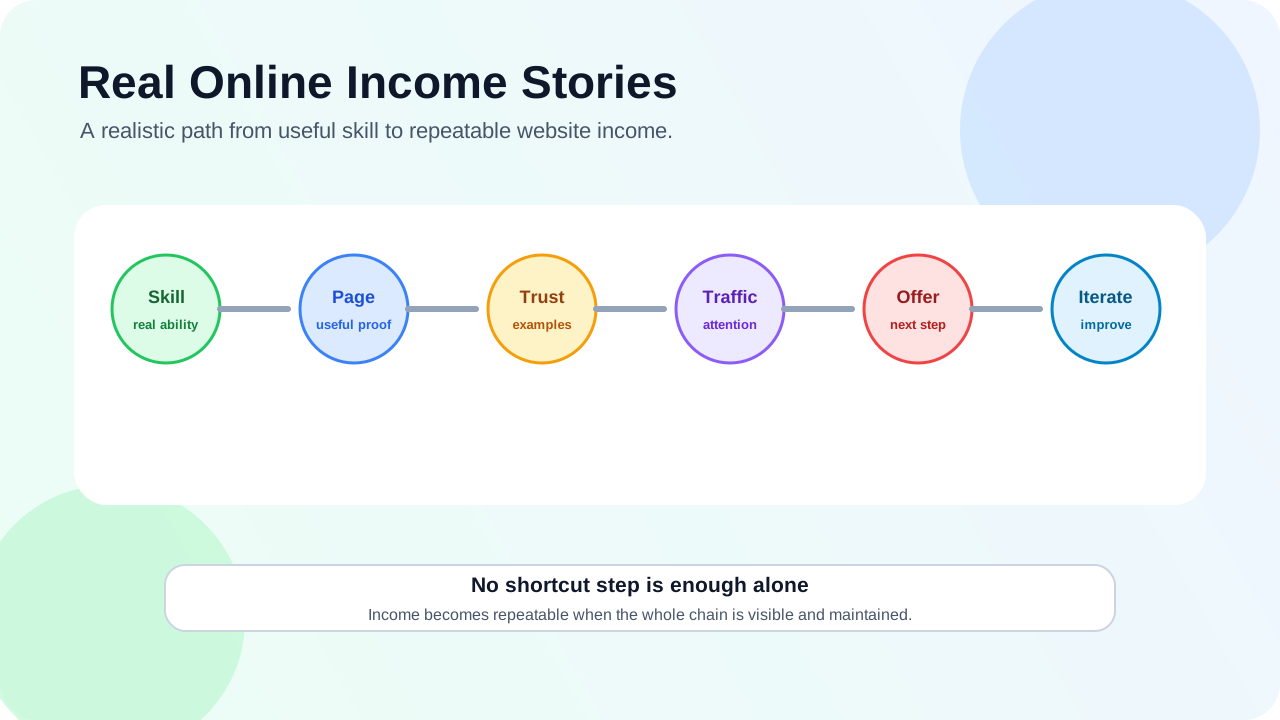
Everyone wants to know how to make money online, but most advice skips the messy, real part: the mistakes, the false starts, and the small wins that actually work. This post shares stories from real people who went from zero to making money online—no get-rich-quick schemes, just honest experiences.Story 1: Sarah went from $0 to $2,000/month with affiliate content Sarah was a stay-at-home mom who wanted to earn extra money. She started a blog about budget-friendly baby gear. What worked:She wrote detailed comparison posts about baby products she actually used She focused on specific problems: "best car seat for small cars," "affordable cloth diapers" She added affiliate links only after building trust with helpful contentHer mistakes:First month: She tried to review 10 products in one post—too broad, no depth She forgot disclosure at first (fixed after learning about FTC rules)Her advice: "Start with what you know. I wrote about baby gear because I was living it. Readers could tell I wasn't just copying descriptions." Story 2: Mike made $1,500/month fixing WordPress sites Mike was a high school teacher who learned basic WordPress to build his own site. He started helping friends fix their sites for free, then turned it into a business. What worked:He created a simple service page: "I fix WordPress problems—fast and affordable" He showed before/after examples on his site He offered a free 15-minute troubleshooting call to build trustHis mistakes:He underpriced at first ($25/hour)—raised to $75 after realizing his time was valuable He didn't set clear boundaries—now he uses a booking system with set packagesHis advice: "You don't need to be an expert. Most small business owners just need someone who speaks their language and solves their problem quickly." Story 3: Lisa earned $3,000/month selling templates Lisa was a graphic designer who created custom Notion templates for her own use. She shared one on Twitter, got requests for more, and started selling them. What worked:She identified a specific pain point: "Notion templates for freelance writers" She offered a free sample template to build an email list She updated templates based on customer feedbackHer mistakes:She tried to make templates for everyone—narrowed to freelance writers after 3 months She didn't have a refund policy at first (added after one customer asked)Her advice: "Build what you need first. If it solves your problem, chances are others need it too." Story 4: Raj built a local lead gen site for plumbers Raj lived in a small city and noticed local plumbers had terrible websites. He built a site that helped homeowners find reliable plumbers—and earned commissions for referrals. What worked:He focused on one city: "Best Plumbers in [City Name]" He wrote helpful content: "How to fix a leaky faucet (and when to call a pro)" He verified plumbers before recommending themHis mistakes:He tried too many cities at once—stuck with one city until it was profitable He didn't track which plumbers converted—added a simple form to track leadsHis advice: "Local is underrated. Big sites ignore small cities. You can be the go-to resource for your area." The common thread in all these stories Every successful person in these stories did three things:Started small - They didn't try to build an empire day one Solved a specific problem - They didn't chase "make money online"—they solved a real pain Built trust first - They helped before asking for money5 lessons from their mistakesDon't try to be everything to everyone - Narrow your focus Charge what you're worth - Underpricing hurts you and devalues your work Set clear boundaries - You're not available 24/7 Learn from feedback - Your first product/service won't be perfect Track what works - You can't improve what you don't measureHow to apply these stories to your journey Use this simple framework:Pick one problem - What do you see people struggling with that you can help solve? Choose one method - Affiliate, services, digital products, or local leads? Build the smallest version - One page, one offer, one way to help Launch and learn - Get feedback, improve, repeatThe #1 mistake beginners make (and how to avoid it) The biggest mistake is waiting for everything to be perfect. These successful people all launched with imperfect websites, imperfect products, and imperfect processes. Instead of: "I need a perfect website before I start" Try: "I'll launch with one page that explains what I do and how to contact me" Final recommendation Making money online isn't about finding a secret formula. It's about helping someone solve a problem, doing it well, and being honest about it. Start with what you know, focus on one audience, and don't be afraid to start small. The stories above show that regular people can do this—you don't need special skills or huge budgets. If you're ready to take the first step, read How to Start Your First Online Business in 30 Days. For help choosing a monetization path, check out Monetization Paths for Beginners. FAQ Do I need technical skills to make money online? No. Sarah had no technical skills—she used a website builder. Mike learned WordPress as he went. Focus on solving a problem, not mastering technology. How long does it take to make the first dollar? It varies. Mike made his first dollar in 2 weeks (a friend paid him $50 to fix her site). Sarah took 3 months to get her first affiliate sale. Be patient—trust takes time. Do I need to spend money to start? You can start for free with tools like Canva, Google Docs, and free website builders. You'll probably want a domain and hosting eventually ($10-$30/month), but you can validate first without it. What if I don't have any ideas? Look at your own life. What problems have you solved recently? What tools do you use that others might struggle with? That's your starting point. Is it really possible to make a living online? Yes, but it takes time and consistency. Most people start as a side hustle, then grow it. The stories above started small and scaled up over 6-12 months.
- OppMint Team
- 06 Jun, 2026
Affiliate Marketing Website Builder: What Beginners Should Choose
Choosing an affiliate marketing website builder is really a choice about control, content, SEO, cost, and how much technical work you are willing to handle. The best builder is not the one with the flashiest templates. It is the one that lets you publish helpful decision-focused content, keep pages organized, add disclosures, manage internal links, and grow without rebuilding everything too soon.What an affiliate website builder must support An affiliate site needs more than a homepage and a few buttons. At minimum, your builder should support:blog posts or articles; category or hub pages; clean URLs; editable title tags and descriptions; fast-loading pages; internal links; comparison tables or structured sections; disclosure placement; basic analytics integration; easy content updates.Google's SEO Starter Guide focuses on helping search engines understand your content and helping users find useful pages. A builder that makes those basics difficult is not ideal for affiliate marketing. The main builder options Most beginners choose between four paths:WordPress. Hosted website builders. Static site generators. Ecommerce-style platforms.Each can work, but they fit different people. Option 1: WordPress WordPress is one of the most flexible choices for affiliate content websites. It is strong for:article publishing; category pages; plugins; SEO controls; comparison tables; content updates; long-term ownership; many hosting options.It also requires more setup than some hosted builders. You need hosting, a theme, basic maintenance, updates, backups, and security awareness. WordPress's own beginner documentation starts with planning, installation, setup, and publishing. That staged mindset is useful: do not install every plugin before you know what your affiliate site actually needs. Best fit: beginners who want long-term content control and are willing to learn basic site management. Option 2: Hosted website builders Hosted builders can be easier for a first affiliate site because they handle hosting, templates, security, and many setup details. They are strong for:quick setup; visual editing; templates; simple landing pages; low maintenance; beginners who dislike technical setup.They may be weaker for deep content sites if blogging, taxonomy, speed, URL control, or advanced SEO settings are limited. Best fit: beginners who need a simple site quickly and are testing a niche before committing to a larger content operation. Option 3: Static site generators Static sites can be fast and secure, but they usually require more technical comfort. They are strong for:speed; low hosting complexity; clean code; version control; custom layouts; developer workflows.They are weaker if you want non-technical editing, plugin marketplaces, or quick visual changes. Best fit: technical builders who want speed and control without a traditional CMS. Option 4: Ecommerce-style platforms Some people try to build affiliate sites with ecommerce platforms. This can work for product catalogs, but it is often not the best first choice for content-heavy affiliate SEO. These platforms are strong for:product-style layouts; collections; checkout flows; brand storefronts.But affiliate sites usually need articles, comparisons, tutorials, and educational content more than cart features. Best fit: affiliate projects that look more like curated product stores than educational blogs. How to compare builders Use this table before choosing.Factor Why it matters for affiliate sitesContent depth You need many helpful pages, not only landing pages.SEO controls Titles, descriptions, URLs, headings, and indexability matter.Internal linking Related pages should connect naturally.Disclosure placement Affiliate disclosure should be visible where links appear.Speed Slow pages reduce trust and user experience.Ownership You should understand what you control and what the platform controls.Cost Low initial cost can become expensive after upgrades.Portability Moving later should not be impossible.Google's helpful content guidance is a useful reminder: the platform does not make weak content strong. Choose a builder that lets you create useful pages, then focus on the pages themselves. What beginners often overvalue Beginners often choose builders based on:beautiful homepage templates; animations; trendy design; huge plugin lists; one-click AI content features; promises of fast monetization.Those can be distracting. An affiliate site succeeds or fails mostly on audience fit, useful content, trust, SEO structure, and recommendation quality. A plain site with helpful pages is better than a polished site with thin content. What beginners often undervalue More important factors include:how easy it is to update old articles; whether category pages can become useful hubs; whether you can add comparison sections; whether pages load quickly on mobile; whether you can add clear disclosure; whether you can change URLs carefully; whether the builder supports long-form content well.These details matter after the first week, when you start publishing consistently. Recommended beginner paths If you want the most control Choose WordPress with simple hosting, a lightweight theme, and only the plugins you need. If you want the easiest start Choose a hosted builder, but confirm it supports blogging, custom URLs, SEO fields, and enough content organization. If you are technical Choose a static site generator if you want speed, version control, and custom publishing workflows. If you are testing the niche Start with the simplest builder that lets you publish five to ten useful pages. Upgrade later only when the niche shows real promise. Builder checklist for affiliate marketing Before committing, check whether the builder lets you:create article categories; edit SEO title and description; add custom headings; insert comparison tables or structured blocks; place disclosure near affiliate links; create clean internal links; add an about page and contact page; publish privacy and disclosure pages; keep pages fast on mobile; export or migrate content if needed.If a builder fails several of these, it may still be fine for a portfolio or landing page, but not for a serious affiliate content site. A small site structure to build first Do not start by designing every possible page. Build this first:Homepage or niche hub. About page. Affiliate disclosure page. One category page. Three educational articles. Two comparison pages. One setup or checklist article.The SBA's business plan guidance asks business owners to define customers, products, operations, and sales. For an affiliate website, your first structure should answer similar questions: who you help, what decisions you cover, and how the site earns without confusing the reader. Final recommendation For most beginners, WordPress is the strongest long-term affiliate marketing website builder because it balances content control, SEO flexibility, ownership, and growth. A hosted builder can still be a good starting point if you need simplicity and are testing a niche. Choose the builder based on the kind of affiliate site you want to run: content-heavy, comparison-focused, technical, simple, or store-like. Then build the smallest useful version and publish helpful pages before adding complexity. If you are still planning your affiliate structure, read How to Build an Affiliate Website. If you need broader site setup guidance, go to Build Websites. FAQ What is the best website builder for affiliate marketing? For content-heavy affiliate sites, WordPress is often the best long-term choice. Hosted builders can work for simpler sites if they support blogging, SEO fields, clean URLs, and disclosure placement. Can I use a free website builder for affiliate marketing? You can test ideas with free tools, but free plans often limit branding, SEO control, domain ownership, or monetization features. A serious affiliate site usually needs more control. Do I need WordPress for an affiliate website? No. WordPress is common, but hosted builders and static sites can also work. The right choice depends on your technical comfort, content plan, and growth needs. What pages does an affiliate website need first? Start with a homepage or niche hub, about page, disclosure page, a few educational articles, comparison pages, and clear internal links. Should I choose the easiest builder or the most flexible builder? Choose the easiest builder that still supports your content and SEO needs. If you plan to publish deeply for years, flexibility matters more.
- OppMint Team
- 06 Jun, 2026
Affiliate Passive Income: A Realistic Starter Guide
Affiliate passive income sounds simple: publish a page, add links, and earn while you sleep. The real version is slower, less magical, and much more useful. A small affiliate website can become a semi-passive asset, but only after you do the active work first: choose a clear audience, publish helpful pages, earn trust, keep content updated, and send readers to products that actually fit their problem. If you are new, think of affiliate income as a website business model, not a shortcut. The goal is to build a useful site that can keep helping people even when you are not logged in.What affiliate passive income really means Affiliate income happens when you recommend a product, tool, service, course, or platform and earn a commission if someone buys or signs up through your tracking link. The passive part does not mean there is no work. It means the work can compound. One useful guide can keep attracting search traffic. One comparison page can keep helping readers decide. One tutorial can keep sending qualified visitors to an offer. That is different from freelancing, where you usually get paid once for each hour or project. A better definition is this:Affiliate passive income is delayed income from helpful content that keeps matching readers with relevant offers over time.That definition is less exciting than the social media version, but it is much closer to how the model works. Who this model is good for Affiliate content is a good fit if you can stay patient and you like explaining decisions clearly. It works especially well for people who can:compare products without sounding like a sales page; write tutorials for beginners; explain trade-offs in plain language; update old pages when tools, prices, or features change; build trust before asking for a click.It is not a good fit if you need quick money this month, hate writing, or plan to copy product descriptions from other sites. Thin affiliate pages are risky because they do not give readers a reason to trust you or search engines a reason to rank you. If you are still choosing a direction, start with the broader path in Start Here, then come back to this page when you are ready to pick a monetization model. The simple affiliate income loop A beginner-friendly affiliate site usually runs on this loop:Pick a reader with a real buying problem. Publish useful content around that problem. Earn traffic from search, communities, email, or social channels. Recommend a relevant product when it genuinely helps. Track what converts and improve the page. Keep the page current so it does not become stale.Nothing in that loop requires a huge team. But every step needs care. A page about “best website builder for a local service business” is stronger than a generic page about “best website builders” because the reader’s situation is clearer. A guide about “how to start a simple affiliate blog without overspending” is stronger than a page that only lists hosting links. The more specific the reader, the easier it is to make a useful recommendation. Start with the audience, not the commission Beginners often choose affiliate programs by commission size. That can lead to bad sites. A high commission does not help if the product is wrong for your reader, hard to explain, or unrelated to your content. A lower commission can be better if the product solves a clear problem and fits naturally into your guide. Before choosing offers, answer these questions:What is the reader trying to achieve? What would they buy even if you were not involved? What questions do they ask before buying? What mistakes would make them waste money? What can your page explain better than a product landing page?This keeps your site reader-first. It also helps your content avoid the common “everything is amazing” affiliate tone. Build around helpful page types You do not need hundreds of posts to start. You need a small group of useful pages that cover different stages of a decision. Good beginner page types include: Problem guides These explain a problem before recommending anything. Examples:how to choose hosting for a small affiliate website; why a new blog is not getting search traffic; what to check before buying an AI writing tool.These pages build trust because they help even if the reader does not click an affiliate link. Comparison pages These help readers choose between two or more options. A strong comparison does not just list features. It explains who each option is for, where each option becomes annoying, and which trade-offs matter for a specific type of user. Tutorial pages Tutorials show the product in a workflow. For example, a hosting affiliate page could explain how a beginner sets up WordPress, adds basic pages, connects analytics only after consent requirements are understood, and keeps costs under control. This type of content is useful because it turns a product into a next step. Resource pages A resource page collects tools, templates, services, or platforms for one specific use case. The trap is making it too broad. “Tools for online business” is vague. “Tools for building a small affiliate website in a weekend” is much easier to understand. Do not skip disclosure If you earn money from a recommendation, say so clearly. A disclosure should be easy to notice, close to the recommendation, and written in normal language. Do not hide it in a tiny footer or make readers guess whether a link is paid. A simple version can be:Some links on this page may be affiliate links. If you buy through them, we may earn a commission at no extra cost to you. We only recommend options that fit the use case discussed here.Disclosure is not just a legal checkbox. It also makes the relationship honest. Readers can handle affiliate links when the page is genuinely helpful and transparent. What makes affiliate income become more passive Affiliate income becomes more passive when your website has durable assets. That usually means:evergreen search topics; pages that solve recurring problems; simple internal links that guide readers to the next step; content updates that protect trust; offers that still match the audience months later.A page that depends on a temporary discount is not very passive. A guide that helps beginners choose the right type of hosting can stay useful much longer, especially if you update product details when they change. This is why SEO matters. If your site only gets traffic from one viral post, income can disappear quickly. If your site earns search traffic from many helpful pages, it has a stronger base. For the growth side, read Affiliate SEO after this. Common beginner mistakes The biggest mistake is building the site around links instead of readers. Other common mistakes include:choosing a niche only because commissions look high; publishing thin “best product” lists with no original judgment; copying product descriptions instead of explaining decisions; hiding disclosures; recommending tools you do not understand; ignoring old pages after publishing; expecting meaningful income before the site earns trust and traffic.A small affiliate site does not need to be perfect, but it does need a reason to exist. Ask this before publishing any page:Would this help someone make a better decision if all affiliate links were removed?If the answer is no, the page needs more work. A practical 30-day starter path Here is a simple path for a beginner. Week 1: Pick the reader and topic Choose one audience and one buying problem. For OppMint readers, a good example could be: “beginners who want to build a small WordPress affiliate site without overspending.” That is clearer than “people who want to make money online.” Week 2: Build the basic site Create the core pages: homepage, about page, privacy page, disclosure language, and a simple article structure. If you need the larger site-building path, use Build Websites and Domains & Hosting before worrying about monetization. Week 3: Publish helpful content Start with a few pages that answer real questions:what to buy first; what to avoid; how to compare options; how to set up the first workflow; when a paid tool is not needed yet.Week 4: Add affiliate links carefully Only add links where the recommendation is natural. Make the disclosure visible. Then track which pages get visits and which clicks make sense. Do not rush into twenty programs. One or two relevant offers are enough for a starter site. What to do next Affiliate passive income is not automatic income. It is the result of useful pages, clear positioning, honest recommendations, and steady updates. If you want a structured path, start with Monetization Paths. If you already know you want an affiliate site, continue with Affiliate Sites and then read Affiliate Website Examples to see beginner-friendly site models. If you want help turning an idea into a real site plan, OppMint also offers Services for strategy, site structure, and SEO planning.
- OppMint Team
- 06 Jun, 2026
Affiliate SEO: How to Grow an Affiliate Website Safely
Affiliate SEO is the practice of getting search traffic to pages that help readers choose products, services, tools, or platforms. It can be a strong growth channel for an affiliate site, but only if the content is genuinely useful. The mistake beginners make is thinking affiliate SEO means “rank a best-products page and collect commissions.” That is too thin. Search engines and readers both need more than a list of links. A good affiliate SEO page helps someone understand a problem, compare options, avoid a bad purchase, and take the next step with confidence.What makes affiliate SEO different Normal SEO can target many goals: education, brand awareness, support, leads, or product sales. Affiliate SEO has a sharper commercial angle because the page often includes recommendations. That creates two pressures:the page must be useful enough to deserve search traffic; the page must be trustworthy enough for a reader to click a recommendation.If the page only repeats product claims, it is weak. If it only chases keywords without solving the reader’s problem, it is also weak. Affiliate SEO works best when you treat the page like a decision aid. Start with search intent Search intent means what the person is really trying to do. For affiliate sites, you will usually see a few intent types: Learning intent The reader is still figuring out the problem. Examples:what is affiliate marketing; how does web hosting work; why is my WordPress site slow.These pages may not convert immediately, but they build trust and create internal links to more commercial pages. Comparison intent The reader is choosing between options. Examples:WordPress vs website builder for affiliate sites; shared hosting vs VPS for a small blog; tool A vs tool B for keyword research.These pages can convert well because the reader is closer to a decision. Buying intent The reader is close to taking action. Examples:best hosting for a beginner affiliate site; best email tool for a small newsletter; affordable WordPress hosting for small websites.These pages need extra care. They should explain fit, trade-offs, limitations, and who should not buy. Avoid thin affiliate pages A thin affiliate page is a page that mostly exists to send visitors somewhere else. It may have a short intro, copied product descriptions, repeated “best” claims, and a table full of links. That kind of page is risky because it does not add much value. To avoid the thin-page problem, add real usefulness:explain the reader’s situation; show how to choose; include use-case differences; mention downsides and limits; answer beginner questions; link to supporting tutorials; keep the content updated.A simple test helps:If every affiliate link disappeared, would the page still help the reader?If yes, you are closer to a useful affiliate SEO page. Build topic clusters, not isolated posts One affiliate post rarely does all the work. A stronger site groups related pages together. For example, a small hosting affiliate cluster could include:a beginner guide to choosing hosting; a comparison of hosting types; a tutorial for setting up WordPress; a checklist for launch mistakes; a buying guide for one specific audience; a troubleshooting page for speed or SSL issues.The buying guide can link to the tutorials. The tutorials can link back to the buying guide when a tool or service is relevant. This helps readers move naturally through the site. On OppMint, that is why affiliate content should connect to site-building guidance, Domains & Hosting, monetization guidance, and SEO Traffic instead of living alone. Write for the person who is about to make a mistake The best affiliate SEO pages often help readers avoid a bad decision. A beginner might buy hosting that is too expensive. They might choose a tool before they have traffic. They might join an affiliate program before the site has enough useful content. They might publish product roundups with no disclosure. Your page should catch those moments. Instead of writing “this is the best tool,” write things like:“Choose this if you want the simplest setup.” “Avoid this if you need advanced control.” “Do not pay for this yet if you have no traffic.” “This is better for one site, not a portfolio of sites.”That tone builds trust because it sounds like a real person helping, not a sales script. Use disclosure as part of trust Affiliate SEO pages should be transparent about paid links. A clear disclosure does not ruin conversions. Hidden relationships are more damaging because they make the whole page feel suspicious when readers notice. Place disclosure where it is visible. Use normal language. Explain that you may earn a commission at no extra cost to the reader, and keep the recommendation focused on fit. Disclosure should not be the only trust signal. You also need balanced writing, useful details, and honest limits. Internal links should guide the decision Internal links are not just for SEO. They should help the reader take the next logical step. A beginner reading an affiliate SEO guide may need:a broader start-here path; a monetization overview at Monetization Paths; a site-building path at Build Websites; a focused category like Affiliate Sites; service help if they need a custom plan.Do not dump links randomly. Add them when they answer a question the reader is likely to have at that point. What to include on an affiliate SEO page A useful affiliate SEO page usually needs these parts: A clear promise Tell the reader what decision the page will help them make. The audience Say who the page is for and who it is not for. This prevents overbroad recommendations. The criteria Explain how options are judged. For example: ease of setup, beginner support, long-term cost, SEO flexibility, update burden, or integration needs. The recommendation Recommend only after the reader understands the criteria. The trade-offs Every option has limits. Mention them. The next step Tell the reader what to do after reading: compare, set up, avoid, delay, or ask for help. This structure turns a keyword page into a practical decision page. A beginner affiliate SEO workflow Here is a simple workflow for a new site. 1. Choose one topic area Do not start with ten unrelated niches. Pick one area where people regularly compare tools, services, or products. 2. Map questions before products List what the reader asks before buying. Then map pages to those questions. 3. Publish support pages first Create useful non-commercial guides. These make the site more trustworthy and give your buying pages context. 4. Publish one commercial page Write one focused buying or comparison page. Keep it narrow enough to be useful. 5. Add natural internal links Connect support pages to the commercial page only where it makes sense. 6. Improve from real signals Watch which pages get impressions, which titles attract clicks, and where readers need clearer answers. Update the site instead of constantly starting new posts. Mistakes that hurt affiliate SEO Avoid these patterns:copying product descriptions; using “best” without explaining best for whom; publishing many short pages with the same intent; hiding affiliate relationships; choosing offers before choosing an audience; ignoring technical basics like titles, headings, crawlability, and internal links; letting old recommendations become outdated.The safest long-term path is simple: be useful, be clear, be transparent, and keep improving the pages that matter. What to do next If you want affiliate traffic, do not start with links. Start with the reader’s decision. Use Website SEO Audit to think about site health, then build a small content cluster around one monetizable problem. If you need a broader monetization path, read Affiliate Passive Income. If you already have a site and want help shaping the structure, see Services for OppMint’s planning and SEO support.
- OppMint Team
- 06 Jun, 2026
Affiliate Website Examples: Beginner-Friendly Site Models
When beginners search for affiliate website examples, they often expect a list of famous sites to copy. That is not the best way to learn. A better approach is to study the model behind the site: who it helps, what problem it solves, how it earns trust, and where affiliate recommendations fit naturally. This guide walks through beginner-friendly affiliate website models you can adapt without copying anyone’s brand, content, or layout.What a good affiliate website has in common Good affiliate websites are not just collections of links. They usually have a few shared traits:a clear audience; a repeatable problem; helpful content before the recommendation; transparent disclosure; internal links that guide the reader; enough original judgment to make the page worth reading.The site can be small. It can use a simple WordPress setup. It does not need a giant team. But it does need a reason for readers to trust it. If you are still deciding whether affiliate is your path, read Affiliate Passive Income first. Example model 1: The beginner tool guide site This site helps beginners choose tools for one clear workflow. Examples of workflows:starting a WordPress blog; building a small newsletter; launching a simple online store; creating a content workflow with AI tools; setting up basic SEO tracking.The content usually includes tutorials, comparisons, setup guides, and mistake checklists. Why it works: people do not just want a tool. They want to know which tool fits their situation and how to use it without wasting money. A beginner tool guide site could publish pages like:“Best website builder for a one-person service business”; “How to choose hosting for your first affiliate blog”; “Free vs paid keyword tools for a new site”; “What to set up before buying an email marketing tool.”The affiliate links fit naturally because the reader is already choosing a tool. The page still needs to be useful even if the reader does not buy. Example model 2: The niche problem blog This model focuses on one audience with recurring problems. Instead of covering “all tech tools,” it might focus on:remote workers setting up home office gear; parents choosing safe learning apps; small restaurant owners building a basic website; new bloggers trying to keep costs low; creators choosing simple camera and audio setups.The strength of this model is focus. You can write in the reader’s language because you know their situation. Good pages for this model include:beginner explainers; product selection guides; “before you buy” checklists; comparisons for specific budgets; setup tutorials.The risk is going too broad. If your site helps everyone, it usually helps no one clearly. Example model 3: The comparison and decision site This site helps readers compare options before buying. It can work for software, hosting, services, courses, tools, or physical products. The key is not the table. The key is judgment. Weak comparison pages say: “Tool A has these features. Tool B has these features.” Strong comparison pages say:who should choose Tool A; who should choose Tool B; which option is easier for beginners; which option gets expensive later; what each option is bad at; when neither option is the right choice.This model can attract readers who are close to a decision, but it also needs trust. If every product is described as amazing, the site feels fake. Example model 4: The tutorial-driven affiliate site A tutorial-driven site teaches a process and recommends products only when they are needed. For example, a site about building income websites could teach:how to buy a domain; how to set up WordPress; how to write the first money page; how to add internal links; how to check basic SEO issues; how to disclose affiliate links.Affiliate links appear inside the workflow, not as random banners. This can be beginner-friendly because readers are already trying to complete a task. The recommendation feels helpful when it removes friction from the task. On OppMint, this is close to the path behind Build Websites, SEO Traffic, and Monetization Paths. Example model 5: The resource hub A resource hub collects recommended tools, templates, services, or guides for a specific audience. The mistake is making a huge generic list. A useful resource hub is narrow. Better examples:“Starter tools for a one-person affiliate website”; “Low-cost website stack for a local service business”; “SEO checklist and tools for a new WordPress blog”; “Simple content workflow for a beginner affiliate site.”Each recommendation should explain why it is included, when to use it, and when to skip it. This model works best after you already have supporting articles. Otherwise, it can become a thin list of links. Example model 6: The review plus education site This model combines product reviews with educational content. A review alone may not be enough, especially if the reader does not understand the category yet. Education pages help readers understand the buying criteria before they reach the review. For example, if the site reviews hosting, it can also explain:what shared hosting means; when a beginner does not need VPS; what SSL and backups are; why site speed matters; how renewal pricing can surprise people.The review becomes more useful because the reader has context. This model is especially good for beginner audiences because it reduces confusion before the purchase decision. How to choose the right model Do not choose based on what looks most profitable. Choose based on what you can explain well and maintain. Ask yourself:Can I write at least 20 useful questions in this niche? Do people regularly buy tools, services, or products here? Can I explain the trade-offs better than a product page? Can I keep recommendations updated? Can I be transparent about affiliate relationships?If the answer is yes, the model may be worth testing. If the only reason you like the niche is commission size, be careful. A site built only around commission usually feels thin. What pages should a starter affiliate site include? A simple starter site can begin with:a homepage that explains who the site helps; an about page that builds trust; a privacy page; a visible affiliate disclosure; three to five helpful guides; one focused comparison or buying guide; one resource page if it genuinely helps.You do not need hundreds of posts before the site has a shape. You need enough structure that a reader can understand what the site is for. What not to copy from other affiliate sites Studying examples is useful. Copying is not. Do not copy:content structure without understanding the audience; product rankings without your own criteria; claims about earnings; screenshots or tables from another site; disclosures that do not match your own relationship; a niche just because another site seems successful.Your job is to learn the pattern, then build your own version for your own audience. A simple starter idea Here is one beginner-friendly model: Site idea: A guide for people building their first small affiliate website on a low budget. Core pages:how to choose a niche without overthinking; best low-cost website stack for beginners; WordPress setup checklist; beginner affiliate disclosure guide; hosting comparison for one-site owners; SEO basics for a new affiliate blog.Monetization: hosting, domain tools, WordPress themes, email tools, SEO tools, and beginner-friendly services only where they fit. Why it can work: the audience has a clear goal, a clear budget concern, and many confusing buying decisions. That is the kind of model OppMint is built to support. What to do next Affiliate website examples are useful when they help you choose a structure, not when they tempt you to copy someone else. If you want to move from idea to plan, start with Website Ideas, then connect the idea to Affiliate Sites and Affiliate SEO. If you want help shaping a site model, content map, and first monetization path, see Services.