
Author profile
OppMint Team
Articles
67
The OppMint Team creates practical, beginner-friendly resources for people who want to build useful websites, grow search traffic, and turn content into sustainable online income.
Our guides focus on website planning, affiliate marketing, SEO fundamentals, content strategy, internal linking, hosting decisions, and monetization workflows for small site operators. We write for readers who want clear next steps instead of vague online-business advice.
Each article is designed to connect strategy with execution: choosing a site idea, building the first useful pages, organizing content clusters, improving search visibility, and understanding realistic ways a website can earn revenue over time.
Articles by OppMint Team
- OppMint Team
- 24 Jun, 2026
Service Website Contact Form Questions: Qualify Leads Without Adding Friction
A service website contact form should not ask everything. It should ask just enough to help both sides decide whether a real conversation makes sense. Too few questions create bad-fit leads. Too many questions reduce submissions. The best contact form sits in the middle: it collects intent, scope, timing, and fit without turning the form into a job application.Why contact forms fail Most service website forms fail for one of two reasons.Problem What happensToo short You get vague messages like “I need help with my website”Too long Good visitors abandon the form before submittingThe goal is not to collect maximum information. The goal is to route the lead correctly. The minimum fields Start with the basics:name; email; website URL if relevant; project type; short message.For many small service websites, this is enough to start. Add qualification fields only when they improve routing. Qualification questions that help Use questions that affect how you respond.Question Why it helpsWhat type of help do you need? Routes the lead to the right serviceWhat is your website URL? Lets you review context before replyingWhat is your timeline? Separates urgent from exploratory leadsDo you have a budget range? Reduces mismatchWhat have you tried already? Shows problem maturityAvoid questions that feel intrusive before trust is built. Budget fields: yes, but carefully A budget question can save time, but it should not feel like a gate. Better wording: What budget range should we keep in mind?Options can be broad:Under $500 $500-$1,500 $1,500-$5,000 $5,000+ Not sure yetThe “not sure yet” option matters. Some good leads need guidance before they can estimate budget. Questions not to ask too early Avoid asking for:full company revenue; personal address; too many technical details; login credentials; long strategy explanations; files before the first reply; exact project scope if the visitor is still learning.If you need those later, ask after the first conversation. Match form questions to page intent Not every page needs the same form.Page type Form styleBlog post Light form or lead magnetPricing page Budget and service fitService page Project type and timelineCase study Similar project interestContact page Full inquiry formIf visitors come from Service Website Pricing Page Guide, budget range is useful. If they come from Service Website Lead Magnet Strategy, a lighter form may convert better. Routing leads after submission A form is only useful if submissions go somewhere actionable. Simple routing:Lead type Next stepGood fit, urgent Personal reply or call inviteGood fit, not urgent Send planning resourceUnsure fit Ask one clarifying questionBad fit Politely decline or send self-serve resourceSpam Filter and ignoreDo not send everyone the same automated sales email. Contact form checklist The form has a clear purpose. Required fields are minimal. Budget field has “not sure yet.” Website URL is optional unless necessary. The success message says what happens next. Privacy policy is linked near the form. Submissions route to a real inbox or CRM. Spam filtering is enabled. You review form completion quality monthly.Common mistakes Asking too much too soon If a visitor has to answer 15 questions before trust exists, they may leave. Asking nothing useful If every lead says “I need help,” your form is not qualifying anyone. No follow-up path If the form submits but nobody owns the reply, the page is not a lead funnel. Related guidesService Website Pricing Page Guide Service Website Lead Magnet Strategy Service Website Lead Generation Content Website Service Lead Funnel How to Build a Website for a Small BusinessFAQ How many fields should a service website contact form have? Most service websites should start with five to seven fields. Add more only if the answer changes how you respond. Should I ask for budget on the contact form? Yes, if budget mismatch is common. Use ranges and include “not sure yet” so early-stage leads do not feel blocked. Should I use a lead magnet instead of a contact form? Use both. Lead magnets help visitors who are not ready to contact you; contact forms help people who are closer to buying. Final take A good service website contact form is not about collecting every detail. It is about asking the few questions that help you qualify, route, and respond to leads faster without creating unnecessary friction.
- OppMint Team
- 23 Jun, 2026
Service Website Pricing Page Guide: Show Prices Without Losing Good Leads
A service website pricing page is not just a place to list numbers. Done well, it filters bad-fit visitors, builds trust with good-fit prospects, and makes the next conversation easier. Many service providers avoid pricing pages because they worry about scaring people away. But hiding every price also creates friction: serious visitors do not know whether they can afford you, and you waste time on calls that were never a fit.Why pricing pages matter for service websites A service website usually has a longer sales cycle than an affiliate site or tool page. Visitors need to understand:what you do; who you help; what outcomes you can realistically support; how much the engagement might cost; what happens after they contact you.A pricing page answers the “is this in my range?” question before someone fills out a form. Should you publish prices? The answer is not always “yes” or “no.” It depends on the service complexity and how much qualification you need.Situation Pricing approachStandardized service Show package pricesCustom consulting Show starting rangeHigh-ticket work Show minimum engagementLocal service Show typical project rangeUnknown scope Show examples and explain variablesIf every project is different, you do not need an exact price. But you should still give enough context to reduce unqualified leads. Three pricing page models 1. Package pricing Best for services with repeatable deliverables. Example:Starter audit: fixed price Implementation package: fixed or range Ongoing support: monthly retainerPackage pricing works when the scope is clear and most clients need similar work. 2. Starting-at pricing Best for services where projects vary but have a clear minimum. Example: Website audit projects usually start at $X. Implementation work depends on page count, technical issues, content scope, and timeline.This filters visitors who are far below budget without pretending every project costs the same. 3. Range and examples Best for complex services. Example table:Project type Typical range Why it variesLanding page review Low Small scopeFull website audit Medium More pages and technical checksSEO implementation Higher Strategy + executionOngoing growth support Monthly Requires repeated workRanges are useful when they are honest and paired with scope explanations. What every service pricing page needs A strong pricing page should include more than numbers.Section PurposeWho this is for Filters fit earlyWhat is included Reduces uncertaintyWhat is not included Prevents scope creepPricing model Fixed, starting range, customProof Examples, process, testimonials, case notesFAQ Handles objectionsNext step Contact, audit, call, or lead magnetIf the page only lists prices, it may create more questions than it answers. Price anchoring without fake urgency Do not use fake countdown timers, fake scarcity, or exaggerated savings. Service buyers are usually evaluating trust. Better anchors:what is included; what is excluded; what affects price; what a typical project looks like; what the first step costs; how long the process takes.This builds confidence without pressure. Connect pricing to a lead magnet Not every visitor is ready to contact you after seeing a price. Give them a lower-friction next step. Examples:Website readiness checklist SEO audit template Pricing worksheet Lead value calculator Project scope worksheetIf you have not built one yet, use the Service Website Lead Magnet Strategy as the next step. Connect pricing to your contact page Your contact form should reflect the pricing page. Useful fields:budget range; project type; timeline; current website URL; biggest problem; whether they used the checklist or template.Do not ask for 20 fields. Ask only what helps you decide whether to respond, qualify, or redirect. Metrics to trackMetric What it tells youPricing page views Whether visitors reach the decision stageContact form starts Whether pricing creates enough trustForm completion rate Whether your form is too heavyQualified lead rate Whether prices filter correctlyBad-fit inquiry rate Whether your pricing is too vagueIf inquiries drop but qualified lead rate improves, the pricing page may be working. Mistakes to avoidHiding all pricing context Showing prices without explaining scope Using fake discounts Saying “custom quote” everywhere Listing packages but not saying who each package is for Forgetting to link to proof or case examples Sending every visitor straight to a sales callRelated OppMint guidesService Website Lead Generation Service Website Lead Magnet Strategy Content Website Service Lead Funnel Service Business Website Ideas 2026 How to Build a Website for a Small BusinessFAQ Should a consultant show prices on their website? At minimum, show a starting range, minimum engagement, or example project range. This helps visitors decide whether contacting you makes sense. Will pricing pages reduce leads? They may reduce unqualified leads. That can be good if the remaining inquiries are more serious and closer to your ideal client. What if every project is custom? Use ranges and examples instead of fixed prices. Explain what changes the price: scope, timeline, complexity, page count, or implementation depth. Final take A service website pricing page should not pressure visitors. It should help them understand fit, budget, scope, proof, and the next step. The best pricing page reduces confusion before the first conversation starts.
- OppMint Team
- 22 Jun, 2026
Service Website Lead Magnet Strategy: Turn Visitors Into Qualified Leads
A service website does not need millions of visitors to work. It needs the right visitors to take the next small step. That step is often not “book a call.” For a cold visitor, booking a call can feel too early. A better bridge is a lead magnet: a useful checklist, calculator, audit template, worksheet, or short email course that helps the visitor diagnose their problem before they talk to you.Why service websites need a lead magnet Most service websites have three pages: homepage, services, contact. That structure works only when visitors already trust you. For everyone else, the funnel is too steep: Visitor → Contact form → Sales callA lead magnet adds a middle step: Visitor → Helpful resource → Email follow-up → Qualified inquiryThis matters because service buyers usually need time. They want to understand the problem, compare options, check whether you understand their situation, and decide whether the conversation is worth their time. What makes a lead magnet worth an email A good service lead magnet is not a generic PDF. It should help the visitor make progress in 10 to 20 minutes.Quality What it means Bad version Better versionSpecific Solves one narrow problem “Marketing guide” “Homepage conversion checklist”Fast Easy to use today 40-page ebook 2-page worksheetRelevant Leads naturally to your service Random tips Pre-audit templateDiagnostic Helps identify gaps General advice Scorecard or calculatorTrust-building Shows how you think Sales pitch Helpful decision frameworkIf the lead magnet does not make your paid service feel like the next logical step, it is just free content. Five lead magnet types that work for small service websitesLead magnet type Best use Effort RiskChecklist Simple audits, setup reviews, launch prep Low Can feel generic if too broadCalculator Pricing, ROI, savings, readiness scores Medium Needs clear assumptionsAudit template SEO, UX, website, content, security reviews Medium Must avoid overpromisingEmail mini-course Education before consultation Medium Needs follow-up consistencyComparison worksheet Helping buyers choose between options Low Should not be biased or fake-neutral1. Checklist Use a checklist when visitors know they have a problem but do not know what to inspect. Examples:Website launch checklist Local SEO profile checklist Service page conversion checklist WordPress maintenance checklistA checklist works best when every item is visible and actionable. Avoid vague items like “improve branding.” Use checks such as “Does the service page include price range, timeline, and next step?” 2. Calculator A calculator works when the buyer wants to estimate value before contacting you. Examples:Website redesign cost range calculator Lead value calculator SEO traffic value estimator Maintenance cost comparison toolThe key is transparency. Show assumptions, explain limits, and avoid fake precision. 3. Audit template An audit template works well for consultants, designers, SEO specialists, and technical service providers. Structure:Area to inspect What good looks like What warning signs mean Score or priority Recommended next actionThis naturally leads to a paid audit, implementation package, or consultation. 4. Email mini-course Use an email course when buyers need education before they trust a service provider. Example structure:Day 1: Diagnose the problem Day 2: Compare common options Day 3: Avoid mistakes Day 4: Plan the first step Day 5: Invite a consultationKeep it practical. Each email should include one task, not just theory. 5. Comparison worksheet A comparison worksheet helps visitors choose between paths. Examples:WordPress vs static site Freelancer vs agency DIY SEO vs consultant Template website vs custom designThis works because buyers often hesitate not because they dislike your offer, but because they have not chosen a direction. Map lead magnets to search intent Do not place the same lead magnet everywhere.Page intent Visitor mindset Best lead magnetInformational blog post “I am learning” Checklist or worksheetComparison page “I am choosing” Comparison worksheetService page “Can this help me?” Audit templatePricing page “Can I afford this?” Cost calculatorCase study “Can I trust you?” Consultation checklistA lead magnet should match the question that brought the visitor to the page. Where to place the lead magnet Start with three placements:After the first useful section — once the visitor understands the problem. Near a decision table — when they are comparing options. At the end — after they have consumed the page and want the next step.Avoid popups on the first second. They interrupt before trust is built. Landing page minimum elements A lead magnet landing page does not need to be long, but it needs clarity. Checklist: Clear headline describing the outcome 3-5 bullets showing what is inside Who it is for Who it is not for Email form with minimal fields Privacy note Confirmation of what happens next Link to the related service pageFollow-up without spam A simple follow-up sequence is enough:Deliver the lead magnet immediately. Ask what they discovered. Share one example or mistake. Offer a small next step. Invite a consultation only when relevant.The goal is to qualify, not pressure. Metrics to track Track useful metrics, not vanity numbers.Metric What it tells youView-to-download rate Whether the offer matches the pageEmail confirmation rate Whether the form/process worksReply rate Whether the follow-up is usefulConsultation request rate Whether the resource creates intentClient conversion rate Whether leads are qualifiedIf downloads are high but consultation requests are low, your lead magnet may be too broad or disconnected from the service. Mistakes to avoidOffering a generic ebook no one reads Asking for too much information too early Using the same lead magnet on every page Promising income, ranking, or revenue outcomes Sending a sales pitch immediately after download Hiding what happens after the form Forgetting to link the lead magnet back to a service pageRelated OppMint guides If you are building the full funnel, read these next:Service Website Lead Generation Content Website Service Lead Funnel Service Business Website Ideas 2026 How to Build a Website for a Small Business Website Idea Validation Before BuildingFAQ What is the best lead magnet for a service business? For most service businesses, a checklist or audit template is the easiest starting point. It helps visitors diagnose a problem and naturally leads to a consultation. Should every service website have a lead magnet? Not every page needs one, but most service websites benefit from at least one resource that captures visitors who are interested but not ready to book a call. Can a lead magnet replace a service page? No. A lead magnet creates trust and captures interest. The service page still needs to explain the offer, process, pricing context, proof, and next step. Final take A good lead magnet is not a trick to collect emails. It is a useful diagnostic tool that helps a visitor understand their problem and decide whether your service is the next logical step.
- OppMint Team
- 18 Jun, 2026
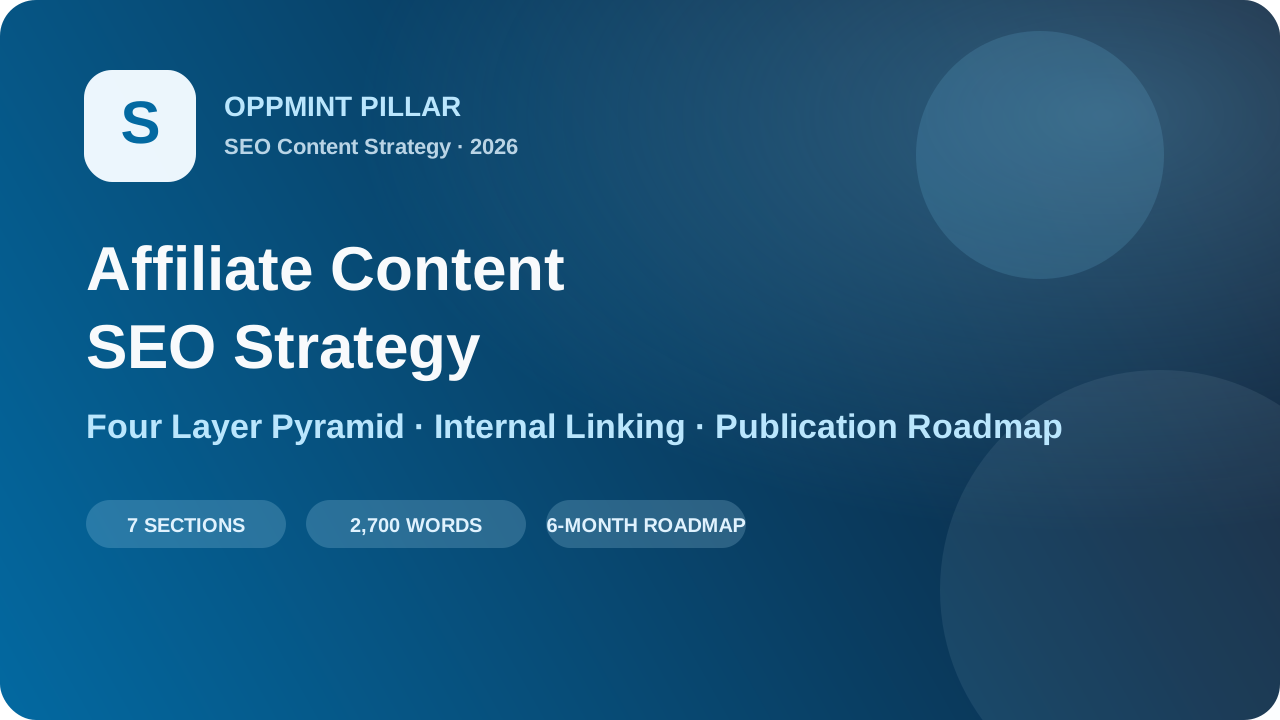
Affiliate Content SEO Strategy 2026: Rank Without Chasing Keywords
Most new affiliate sites fail at SEO the same way: they write 50 articles about "best X for Y," all targeting transactional keywords, and none of them rank. Google doesn't rank collections of product reviews. It ranks authoritative resources that help people make decisions. This article covers the affiliate content SEO strategy that works in 2026. The Problem With Most Affiliate Content Strategies Here's what usually happens:Someone runs a keyword tool and exports 100 "best X" keywords They write 50 product review articles in 2 months None of them rank past page 3 They conclude "SEO is dead" or "this niche is too competitive"What's missing? Context. Google doesn't judge pages in isolation. It judges domains based on the complete body of knowledge they publish about a topic. A site with 50 "best X" pages but zero explanation of why those products matter, how to choose, what problems they solve, or what mistakes to avoid is not an authority—it's a coupon site. The 2026 Affiliate Content Framework This strategy builds authority in four layers, ordered by publication priority.Layer 4: Transactional content (product reviews, comparisons) Layer 3: Decision content (buying guides, how to choose) Layer 2: Educational content (problems, solutions, terminology) Layer 1: Pillar pages (complete topic overviews)Most sites start at Layer 4. They fail because they skipped Layers 1-3. Layer 1: The Pillar Page Start with one pillar page per major topic cluster. This is the definitive guide to everything a beginner should know about the subject. Example for a fitness affiliate site:Pillar: "How to Start Working Out at Home: Complete Beginner's Guide" Covers: equipment categories, training styles, common mistakes, progress tracking, recoveryWhy this works first:Pillar pages naturally attract backlinks They establish topical breadth You'll build internal links to every other article you write Readers who land here stay on site longerPillar page structure: 1. Introduction (who this is for, what they'll learn) 2. Core concepts and terminology 3. Common problems and mistakes 4. Solution categories (not specific products yet) 5. How to evaluate options 6. Next steps framework 7. FAQ 8. Resource links💡 Reference: How to Build an Affiliate Website in 2026 covers pillar page architecture in detail. Layer 2: Educational Content These articles answer the questions people have before they start comparing products. They're mid-funnel, high-intent, and surprisingly easy to rank for. Examples:Niche Educational Article TitlesFitness "How Many Days a Week Should a Beginner Work Out?""Dumbbells vs Resistance Bands: Which is Better for Beginners?""How Long Does It Take to See Results From Working Out?"Camping "What Temperature is Too Cold for Tent Camping?""How to Keep Food Cold While Camping Without a Cooler""Can You Use a Regular Sleeping Bag for Backpacking?"Why this works:Lower competition than "best X" keywords Readers in this stage become your highest-converting visitors later Natural internal links to your product reviews Builds E-E-A-T faster than pure transactional contentTemplate for educational articles: 1. Direct answer to the question 2. Detailed explanation (why, how, when) 3. Common mistakes to avoid 4. Factors to consider 5. Recommended approaches for different situations 6. Related resources (internal links)Layer 3: Decision Content These are the "how to choose" articles that bridge education and purchase. This is where you start introducing products but not in a review format. Examples:"How to Choose Dumbbells for Home Use: 7 Factors That Matter" "What Size Resistance Bands Do I Need? Complete Buying Guide" "How Much Should You Spend on Your First Camping Tent?"Decision content should answer:What features actually matter (vs marketing fluff) What tradeoffs people face What beginners usually get wrong Price ranges and what you get at each level How to prioritize features based on their situationThis is the most underrated layer of affiliate content. It converts extremely well because you're helping someone narrow down their options before they see your product recommendations. Layer 4: Transactional Content Finally, you write the product reviews and "best X for Y" articles. But now they're different:Each review links back to the educational content that explains why those features matter Each comparison links to the decision content that frames the tradeoffs Readers arrive already understanding the topic, not just looking for the cheapest optionKey rule for transactional content: Never write a "best X" article unless you already have at least 3 educational articles and 1 decision article about that category. Internal Linking Strategy for Affiliate Sites Internal linking is where most affiliate sites lose 50% of their potential SEO value. Follow this pyramid pattern:The Pyramid Link Structure Pillar Page / | \ Decision 1 Decision 2 Decision 3 / \ / \ / \ Review A Review B Review C Review DRules:Every page links up - Reviews link to decision pages, which link to the pillar Pillar links down - The pillar links to every decision page and key reviews Related reviews link horizontally - "Best budget" links to "best premium" and vice versa Educational articles link to relevant decisions - Not directly to product pages unless it makes senseWhat to avoid:❌ Random "related posts" widgets at the bottom with no contextual relevance ❌ Every page linking to the same 5 affiliate products in the sidebar ❌ Orphan pages that nothing links to ❌ The homepage being the only page that links to everything💡 Deep dive: Our Internal Linking Best Practices guide has the exact link count targets and placement rules. Content Cadence and Publication Order This is the order you should publish in. Don't skip ahead.Month 1:1 pillar page 4-6 educational articles Total: 5-7 pagesMonth 2:2-3 decision articles 3-4 educational articles Update and expand the pillar Total: 6-8 pagesMonth 3:3-4 product reviews / "best X" articles 2 more educational articles Audit internal links Total: 6-7 pagesMonth 4 onwards:2 educational / decision articles 2-3 product reviews 1 pillar expansion or updateBy Month 6, you'll have:1-2 pillar pages 12-18 educational articles 6-9 decision articles 12-18 product reviews A complete internal link structure that Google can crawl and understandThat's 30-45 pages total. More importantly, it's a cohesive body of knowledge on a topic, not a random collection of keywords. Authority Signals Google Actually Cares About In 2026, these matter more than exact keyword matching: 1. Content Freshness Product categories change. If you're reviewing 2026 products but your "how to choose" article still says "in 2022," that's a signal. Update decision content at least quarterly. Pillar pages need annual refreshes. 2. Depth of Coverage Does your site cover:Problems Solutions Comparisons Mistakes to avoid Edge cases Different user segmentsIf you only cover products, you're 1/6th of the way there. 3. Linking Pattern Are internal links contextual and useful, or are they keyword-stuffed anchor text spam? Google can tell the difference between: ✅ "If you're not sure what size you need, read our resistance band sizing guide" ❌ "Best resistance bands for beginners" 4. User Signals Dwell time matters more than ever. Articles that answer the question and then give next steps keep people on site. Articles that immediately jump to "here are the 10 best" send people bouncing back to search results. Common Mistakes to Avoid Mistake 1: Starting with product reviews We covered this. It's the #1 reason new affiliate sites fail in 2026. Mistake 2: Chasing every keyword in the niche You don't need to cover every angle of every product. Pick 1-2 clusters, dominate them, then expand. Mistake 3: Ignoring the no-intent searchers Not everyone searching for "how heavy should dumbbells be" wants to buy them today. But if you help them understand the answer, they'll come back to you when they are ready to buy. Mistake 4: Forgetting that SEO is about real people Write for the person reading, not for the crawler. If your articles read like they were generated from a keyword list, Google will eventually figure it out. Measuring If It's Working Don't just track rankings. Track these operational metrics to know if your SEO is actually working before revenue hits:Metric Target What It MeansTop 100 keyword count Growing 20%+ monthly Google is recognizing your topical coverageAverage pages per session > 1.8 People are following internal linksPillar page backlinks Steadily increasing Other sites find your core content usefulImpressions / clicks ratio > 2% Your titles and descriptions match intentClick-through rate from content to products > 5% Your internal linking is actually convertingSummary The 2026 affiliate SEO strategy isn't about more keywords. It's about better structure:Start broad - Pillar pages first, establish the topic Build context - Educational content that answers real questions Bridge to purchase - Decision content that helps people evaluate options Add transactional content last - Reviews and comparisons that benefit from all the context Link intentionally - Follow the pyramid structure, not random related postsThis strategy takes 3-6 months to show real results, but when it does, you're not just ranking for "best X." You're ranking for the entire topic. And when Google ranks the whole site, not just individual pages, you've built something that lasts. Next steps:Read the Complete Affiliate Website Guide for pillar page templates Check Affiliate SEO: Beyond the Basics for technical SEO requirements Learn How Content Sites Make Money beyond just affiliate links
- OppMint Team
- 17 Jun, 2026
Make Money Online in 2026: 12 Real Business Models Ranked
Most "make money online" lists are either fantasy or recycled side-hustle advice. They mix paid surveys, dropshipping, affiliate marketing, freelancing, YouTube, newsletters, AI tools, and digital products as if they all have the same cost, risk, and timeline. They do not. This guide ranks 12 real online business models for solo founders in 2026 using five practical criteria: startup cost, skill curve, time to first dollar, scalability, and defensibility. 💡 Deep dive on affiliate: For the complete end-to-end guide to building an affiliate site in 2026, see the Affiliate Website Complete Guide. The scoring model Each business model gets a 1-5 score on five axes:Axis What it measuresStartup cost Can you start under $100, $500, or $2,000?Skill curve How much specialized skill is required before launch?Time to first dollar How quickly can a beginner get paid?Scalability Can it grow beyond your personal hours?Defensibility Can AI or cheap competitors copy it easily?A perfect score is 25. Anything below 14 is usually not worth starting unless you already have an advantage. If you want beginner stories rather than a ranking matrix, start with real examples of people making money online. If you want zero-budget starting points, see free ways to make money online.Quick ranking tableRank Model Score Best for First-dollar timeline1 Productized service 22 Skilled beginners 7-30 days2 Affiliate content site 21 Patient builders 3-6 months3 Niche template shop 20 Designers / operators 30-60 days4 Newsletter + sponsorship 19 Strong writers 3-9 months5 Lead-generation website 19 Local SEO builders 2-6 months6 Paid community 18 Existing audience owners 3-12 months7 Micro SaaS 18 Developers 3-12 months8 Online course 17 Domain experts 2-9 months9 YouTube / short video 16 Creators 6-18 months10 Digital downloads 15 Designers / educators 30-90 days11 Dropshipping 13 Paid media specialists 30-120 days12 Surveys / task apps 8 Cash emergencies only Same dayThe important takeaway: the best beginner model is not always the most scalable model. Productized services earn fastest. Affiliate content compounds slowly. Micro SaaS scales well but needs more skill and patience.Productized service Score: 22/25 A productized service packages one specific outcome for one specific buyer: "I will set up your local business website in 7 days for $900," or "I will convert your messy Notion workspace into a client portal for $500." Why it ranks first:Startup cost is almost zero. You can get paid before building a big audience. Scope is clearer than open-ended freelancing. You learn real customer pain before building products.The downside is that income still depends on your time. You escape that later by turning repeated work into templates, SOPs, or a small team. Best first offer: Audience: solo consultants Problem: no trustworthy website Offer: 5-page site + contact form + analytics Price: $500-1500 Delivery: 7 daysIf you are trying to choose between service income and affiliate content, affiliate content vs service lead generation explains the tradeoff.Affiliate content site Score: 21/25 An affiliate content site earns when readers buy through your recommendations. It is slow, but it compounds. One good comparison page can earn for years if it stays updated. Why it ranks high:Low cost to start. Strong upside if you choose recurring programs. Works well with SEO and evergreen content. Can be built alongside a day job.Why it fails:Thin "best X" posts are no longer enough. Amazon-only sites have weak economics. Most beginners quit before month 6.If this is the model you choose, use the full affiliate website 2026 guide rather than starting from a generic theme and random product reviews. Best first 90 days:Pick one niche using a 4-axis scorecard. Publish 3 cornerstone reviews. Publish 8 supporting how-to posts. Apply to 3-5 non-Amazon programs. Build internal links from supporting posts into cornerstone pages.Niche template shop Score: 20/25 A template shop sells reusable assets: Notion templates, Framer sections, Webflow layouts, spreadsheet calculators, resume packs, content calendars, prompt packs, or small automation workflows. It works when the template saves time for a buyer who already knows they have the problem. Good examples:A budget spreadsheet for freelance designers A client onboarding Notion system for consultants A content calendar for real estate agents A Zapier automation pack for newsletter operatorsThe challenge is distribution. Templates do not sell themselves. You need SEO, communities, Gumroad/Payhip marketplace traffic, or a newsletter. Best first product: solve one painful workflow you personally understand, price it at $19-49, and ship a simple landing page in one weekend.Newsletter + sponsorship Score: 19/25 A newsletter is not a business model by itself. It becomes one when you pair it with sponsorship, affiliate offers, paid reports, or a productized service. Why it works:You own the audience. Email converts better than social reach. Sponsorship becomes viable at small but focused scale.Why it is hard:Growth is slow without distribution. Writing every week is a commitment. Broad newsletters are hard to monetize.A good solo-founder newsletter is narrow: "weekly AI tools for local service businesses" beats "tech news." Revenue math: 2,000 subscribers 40% open rate 800 opens $40 CPM sponsorship = $32 per issueThat sounds small, but with affiliate offers and consulting upsells, the list becomes a trust asset.Lead-generation website Score: 19/25 A lead-gen website ranks for local or niche service queries, collects inquiries, and sells those leads to service providers. Examples:"best roof repair in Austin" "small business website design in Denver" "emergency plumber in Queens" "bookkeeping services for dentists"Why it works:Intent is high. Local SEO is often less competitive than national affiliate SEO. Leads have clear monetary value.Why it fails:You need reliable partners. Bad leads damage relationships. Some niches require licenses or compliance awareness.A small lead-gen site can start as a simple service page + comparison page + contact form. See make money online website types for how lead-gen differs from affiliate and content sites.Paid community Score: 18/25 Paid communities work when members need ongoing accountability, access, or peer feedback. They fail when the promise is just "exclusive content." Good fits:Founders building in public Designers preparing portfolios Job seekers in a specific role Local service owners learning SEO Espresso enthusiasts comparing gear and recipesBad fits:Generic entrepreneurship Generic AI tips Generic investing chatA community needs a ritual: weekly critique, monthly office hours, shared challenge, or member directory. Without ritual, churn kills it.Micro SaaS Score: 18/25 Micro SaaS has strong upside, but it is not the easiest beginner model. You need product judgment, technical skill, support, and distribution. Good micro SaaS ideas are usually boring:Invoice reminder for one vertical Review request automation for local businesses Client portal for consultants Reporting dashboard for a niche ad channelBad ideas are generic:"AI writing tool" "project management app" "all-in-one CRM"The best path is to start with a productized service, repeat the same workflow 10 times, then automate the repeated part.Online course Score: 17/25 Courses still sell, but low-effort courses are dead. Buyers can get generic knowledge from YouTube and AI. A paid course must offer structure, feedback, templates, or outcome-specific guidance. Good course topics:A narrow professional outcome A certification-like skill A repeatable business process A tool workflow with templatesExample: "How local accountants can get 10 SEO leads per month" is stronger than "SEO course." Courses pair well with newsletters and communities. They are weaker as a first business if you have no audience.YouTube / short video Score: 16/25 Video can build trust faster than text, but monetization takes time. The best path is not relying on AdSense. Use video to feed services, affiliate offers, consulting, and email. Good format:One narrow problem Repeatable episode structure Clear buyer intent Link to a useful owned assetBad format:Reacting to trends with no offer Broad productivity tips AI-generated faceless spamVideo is powerful if you can be consistent for 6-12 months. It is brutal if you need money next week.Digital downloads Score: 15/25 Digital downloads include checklists, templates, planners, swipe files, Notion systems, spreadsheets, and prompt packs. They are easy to create and hard to sell. Use them as:Lead magnets Low-ticket upsells Add-ons to a service Trust builders for a larger offerDo not expect a $9 PDF to replace a business unless you have distribution.Dropshipping Score: 13/25 Dropshipping is not dead, but it is not beginner-friendly in 2026. Paid ads are expensive, suppliers are inconsistent, shipping expectations are high, and customers expect brand-level support. It can work if you already understand:Paid media Creative testing Supplier negotiation Customer support Unit economicsFor most solo founders, affiliate content or productized service is safer. Dropshipping only makes sense if paid acquisition is already your skill.Surveys and task apps Score: 8/25 Surveys, task apps, and microtask platforms can produce same-day cash, but they do not compound. They are closer to emergency cash flow than business building. Use them only when you need immediate small income. Do not build your 2026 plan around them.Which model should you choose? Use this decision rule:Your situation Best first modelYou need money in 30 days Productized serviceYou can wait 6-12 months Affiliate content siteYou design systems/templates well Niche template shopYou already have expertise + audience Course or communityYou can code and handle support Micro SaaSYou are strong on camera Video + offer stackYou want low-maintenance compounding Evergreen content siteIf you want a slower but compounding path that does not require posting daily, low-maintenance website business models is the next practical branch.A 90-day plan that works for most beginnersDays 1-7: choose one model Do not test five models at once. Pick one using the score table and your unfair advantage. Days 8-21: create the first offer or assetService: one fixed-scope offer Affiliate: one niche scorecard + first cornerstone outline Template: one paid template + landing page Newsletter: one promise + 3 sample issues Lead-gen: one city/niche landing pageDays 22-45: get feedback before scaling Talk to 10 real people. If nobody cares, change the offer before writing 40 blog posts. Days 46-90: ship weekly The business model matters, but cadence decides whether it survives. Weekly shipping beats perfect positioning with no output.FAQ What is the most realistic way to make money online in 2026? For most beginners, productized service is fastest and affiliate content is the best compounding path. Productized service gets paid sooner; affiliate content builds slower but can detach from your hours. Can AI make any of these easier? Yes, but AI helps with research, outlines, drafts, tables, and operations. It does not replace market selection, customer conversations, original experience, or distribution. A practical AI workflow for solo operators is covered in AI tools for solo founders building content sites. What should I avoid? Avoid models where your only edge is "I can generate content with AI." Everyone else can do the same. Pick a niche where you have evidence, relationships, expertise, or distribution. Is affiliate marketing still worth it? Yes, but not as thin product listicles. It works when the site helps readers make decisions and uses programs with real unit economics. Amazon-only sites are much weaker than SaaS, hosting, course, or niche tool programs. How much money do I need to start? A service can start at nearly $0. A static affiliate site can start around $12/year for a domain if you can handle the technical setup. A WordPress site usually costs $200-500 in year one. Paid ads or dropshipping can require thousands.